Cleanio review: AI storage cleaner and contact organizer for Android
Cleanio, from VITALITY AI CORP., is an Android utility that reclaims storage by finding and organizing cluttered media. It uses on-device artificial intelligence to identify duplicate and visually similar photos, locate large files, compress videos, and group items for user review before any deletion takes place. Features include an AI "Best Shot" selector, swipe-based gallery sorting, contact merging, screenshot cleanup, and interactive visual storage usage charts. Designed for Android users facing full-storage alerts, mobile photographers, and anyone needing focused gallery and contact cleanup.
What Cleanio does to identify and reduce media clutter
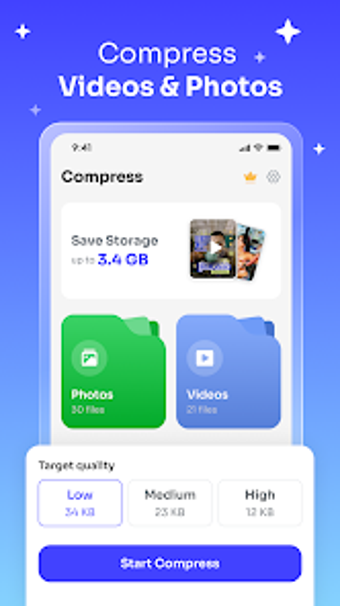
The app runs a local analysis that compares visual signals across images to spot exact duplicates and near-duplicates, then ranks candidates with a Best Shot recommendation. It also indexes large files and produces a map of storage usage so users can target heavy folders. Compression routines apply lower bitrate encodes to long recordings while aiming to preserve perceived quality. Combined grouping presents items for manual review rather than removing them automatically.
How scans interact with device resources during use
All core analysis happens on the device, so the CPU and battery are used for image comparison and video encoding. Users report a quick initial storage scan, which suggests the app optimizes its pass over media. More intensive tasks such as large-file compression are performed locally and can take measurable time; running those operations while the device is idle reduces interruptions to other apps.
Whether the app preserves privacy and avoids accidental deletions
The tool performs AI analysis without uploading media externally, keeping images and videos on the handset during processing. Deletion is not automatic: the app groups suspected clutter and requires you to confirm removals, which protects against unintended loss. The contact manager matches names, numbers, or emails and offers merge actions, so merges and removals remain under user control.
How approachable the interface is for different skill levels
Gallery cleanup offers a swipe-to-clean interaction that speeds through groups for casual users, while grouped lists and charts let more technical users inspect candidates before action. The app balances automated recommendation with manual oversight, so photographers who keep many near-identical shots can shorten decision time, and less experienced users can rely on grouped presentations rather than navigating raw folders.
Practical choice for hands-on cleanup with a short review requirement
Cleanio is a practical option for Android users with crowded galleries who need automated curation combined with manual control. The main trade-off is that meaningful space savings require reviewing grouped suggestions rather than executing a one-click sweep. For best results, run a full scan during idle hours and inspect grouped items before confirming removals. Recommended.